I don't very often make children's birthday cards and I suppose this is because I don't have any children of my own or get asked to make any. However, I recently offered to make some for a friend so I set myself a new challenge.
My first thoughts were that they need to be colourful and fun in their design so as usual I turned to Pinterest for inspiration. I found some ideas I liked and set about designing something similar with my Cameo Silhouette.
The two cards below were the inspiration. They are popular designs that others have also replicated.

 The Silhouette software was used to draw the legs of the birds and write the sentiment on the first card and then just the sentiment on the second card.
Here are the two cards:
The Silhouette software was used to draw the legs of the birds and write the sentiment on the first card and then just the sentiment on the second card.
Here are the two cards:
For this collection of Valentine Cards I have used dies, Love & Romance patterned papers and an embossing folder from the Signature Range by Sara Davies.
I have a jigsaw die that I used on this card from Xcut.
I used it again on this card.
These are the dies that came with the collection. This is one of the loveliest heart dies I have come across.
This was a bit of fun which I couldn't resist making. The embossing is so lovely and sharp in the background.
The first two projects came about from the need to use up some images I had from a craft papercraft kit.
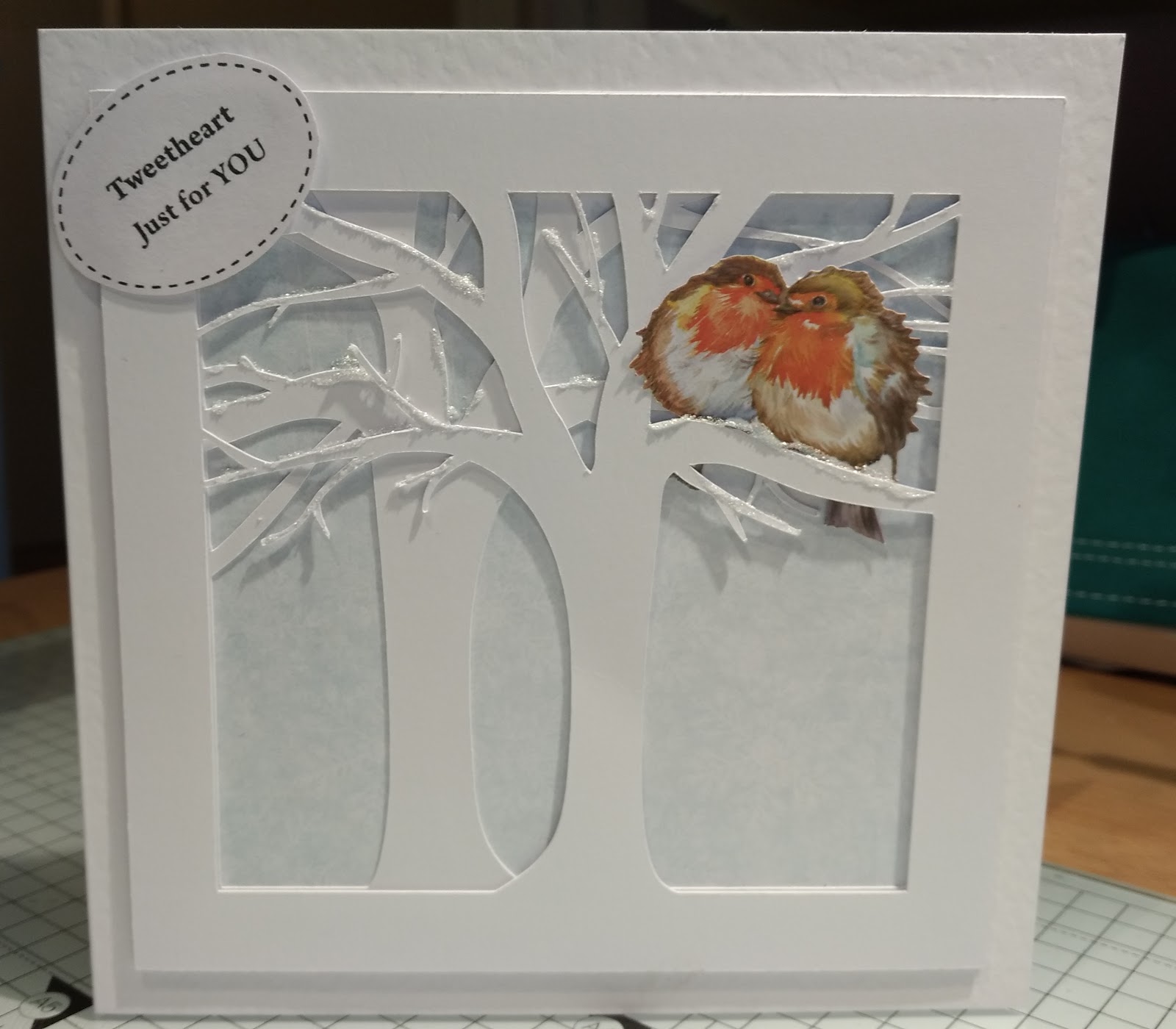
I thought both the squirrel and robins needed a tree. As I didn't have a tree die large enough it was a case of searching in the Silhouette Design Store for something suitable and I came across this tree template. I liked the way the tree was formed and looked very natural. I resized the image to fit my 7x7 card and then cut out on Cameo Silhouette.
Here is the first card I made for the robins.
and this one for the squirrel. I used the Silhouette software to create the speech bubble and the Sketch pens to write the sentiment. I was going to make a few of these sentiments but the software kept crashing so I quit whilst I was ahead!
Here are some more cards I have made with the Cameo Silhouette.
I designed this image in the Silhouette Software. I couldn't decide whether to add a sentiment but decided that the design spoke for itself.
This is another design I created using the Silhouette software and then embellished it with tiny red hearts. The design was one that caught my eye on Pinterest.
And another, which can be quite easily personalised by choosing a specific area of a map relevant to you.
Today I have a couple of cards I have made using my Cameo Silhouette to design and cut out the elements which work with the main background template for a bendy card.
There is a fab design in the design store for a Bendy Card that has a picket fence with a natural curve on it. I downloaded it and have used it on both cards below.
The trees were spliced and melded to the card before cutting out in the forest green cardstock. I then cut out some individual trees to add more interest to the card.
The houses on the next card were also cut on the Cameo Silhouette and I used some Cosmic Twinkles to add some snow detail.
Despite looking bulky these cards will fold completely flat for posting.
Since scheduling this post I noticed in the last week that the craft company Tonic have produced some fancy dies that create the same effect, a bendy card. These are called window box dies and come in a variety of decorative designs. This is one example from the range. You do have to purchase the slit die separately. This looks like an opportunity for me to try creating something similar as a project in my silhouette software.